
6. Sound-Design Basics
If you are already comfortable with FM, you can skip this chapter. It connects what you hear with the controls you see. Chapter 7 provides exact ranges and conditions.
6.1 Operators and Algorithms
An operator generates a waveform and shapes its level with an envelope. Synth81Z has four.
An operator connected to the audio output is a carrier. One that modulates another operator is a modulator. The Algorithm chooses their connections, so an operator's role can change with the Algorithm.
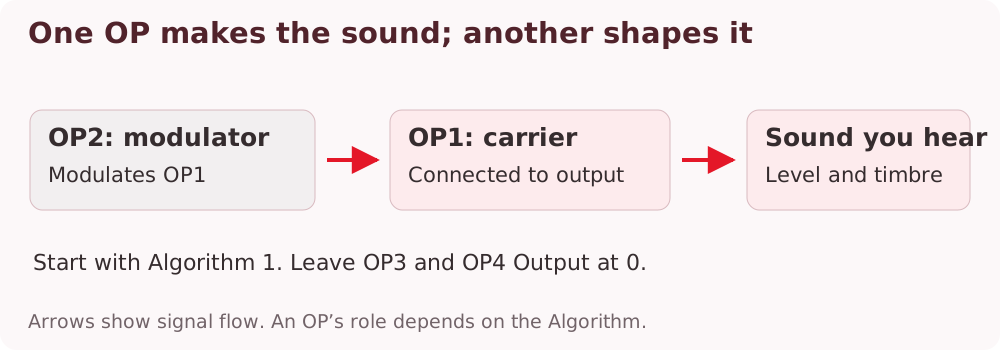
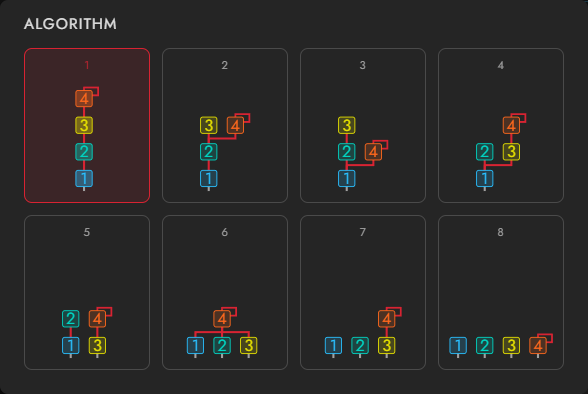
Algorithm 1 is OP4 → OP3 → OP2 → OP1, with OP1 as the carrier. Start with Init, leave OP3 and OP4 Output at 0, and listen to just OP1 and OP2.
6.2 Output: Loudness and Timbre
A carrier's Output mainly affects loudness. A modulator's Output changes modulation depth, affecting harmonics and the shape of the sound.
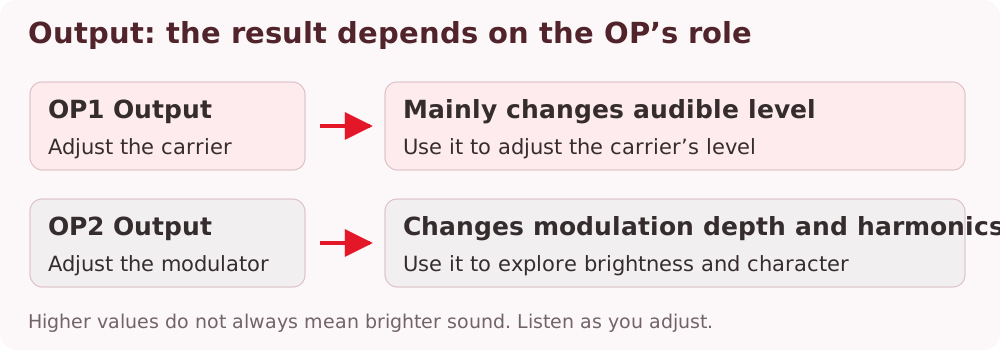
- Select Init and play a note.
- Gradually raise OP2 Output from 0.
- Lower OP1 Output and compare its level change with OP2's timbral change.
More modulation does not simply mean more brightness. At high depths, the harmonic balance changes substantially. Adjust by ear.
6.3 Frequency Ratios
Ratio sets frequency relative to the played note. Move Coarse and Fine and read the resulting ratio in Freq.
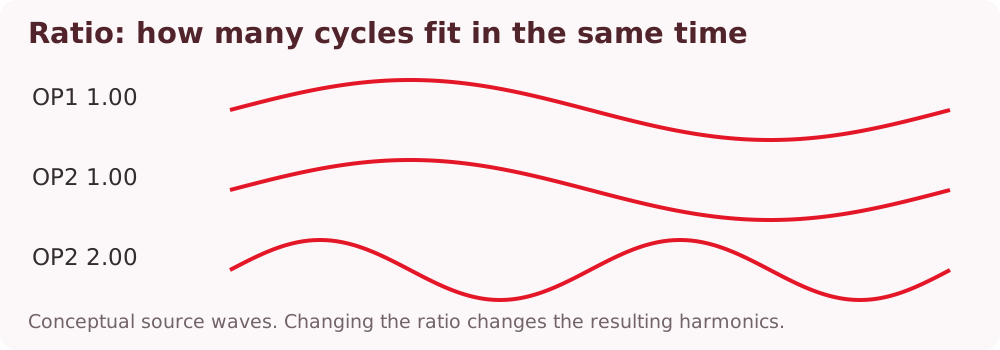
Leave OP1 at 1.00 and try OP2 at 1.00, 2.00, and 3.00. The harmonic pattern changes. Ratios between whole numbers can produce metallic spectra. Fixed instead uses an absolute frequency in Hz that does not track the keyboard.
6.4 Envelopes Shape Level and Timbre
A carrier envelope mainly shapes loudness; a modulator envelope mainly shapes timbre over time. With OP2 Output raised, increase OP2 D1R and lower D1L to create a bright onset that settles down.
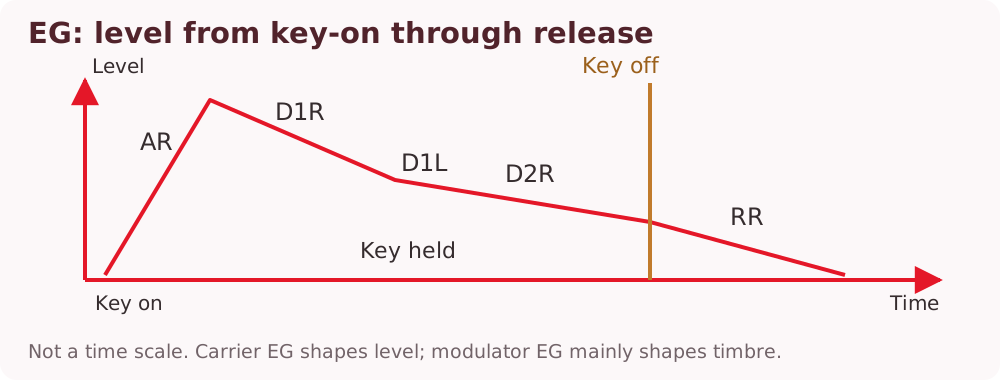
| Control | Listen for |
|---|---|
| AR | Attack speed |
| D1R / D1L | Initial decay speed and its destination level |
| D2R | Continued decay while a key is held |
| RR | Decay after release |
Note
Rate means speed, not duration. Higher AR / D1R / D2R / RR values are faster. Lower RR for a longer release.
Init has D1R at 0, so it holds its level while a key is down. To introduce decay, first raise D1R above 0 and lower D1L.
6.5 Try a Bass and a Bell
Short bass: From Init, raise OP2 Output and choose an OP2 ratio of 1.00 or 2.00. Give OP2 a quick decay, then set the overall duration with OP1's envelope. If the onset is too strong, lower OP2 Output a little.
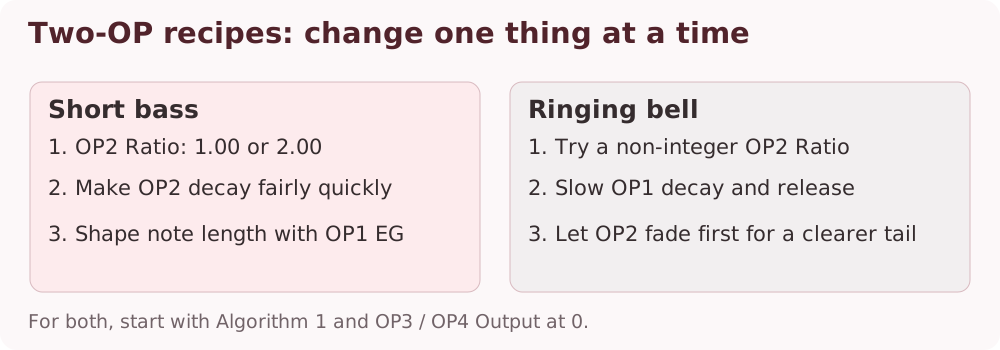
Ringing bell: Keep the two-operator structure, move OP2 away from a whole-number ratio, and lower OP1 D1R / D2R / RR for a longer tail. If OP2 fades before OP1, the sound starts complex and becomes purer.
There is no single required setting. Change only the ratio, Output, or envelope at first, and compare.
6.6 Waveforms and Feedback
W1 is a sine wave. W2–W8 already contain harmonics, so the same ratio and Output produce different results. Compare changing the carrier waveform with changing the modulator waveform.
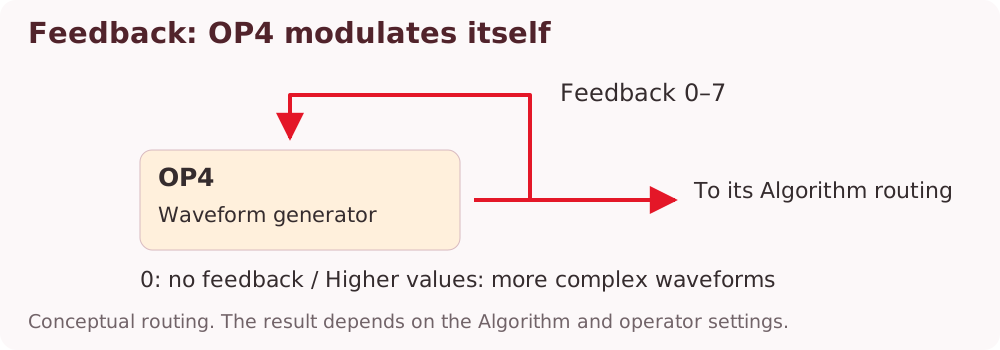
Feedback returns OP4's output to itself through the loop shown in the diagram. More feedback adds harmonics and can produce rough textures. Keep the listening level moderate while experimenting.
6.7 Playing Expression
Velocity Sens on a modulator changes timbre with playing strength. On a carrier, its effect is mainly level. LFO Pitch Depth / Pitch Sens create vibrato; Amp Depth / Amp Sens and each OP's Amp Enable create amplitude modulation.
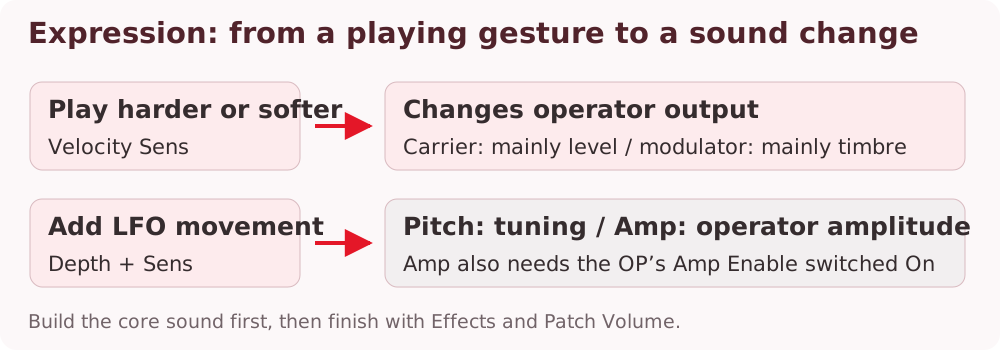
Finally, add texture or space with Effects and match preset levels with Patch Volume. Use Chapter 7 for the core sound, Chapter 8 for layers, and Chapter 9 for finishing effects.