
4. Screen Tour
4.1 Single
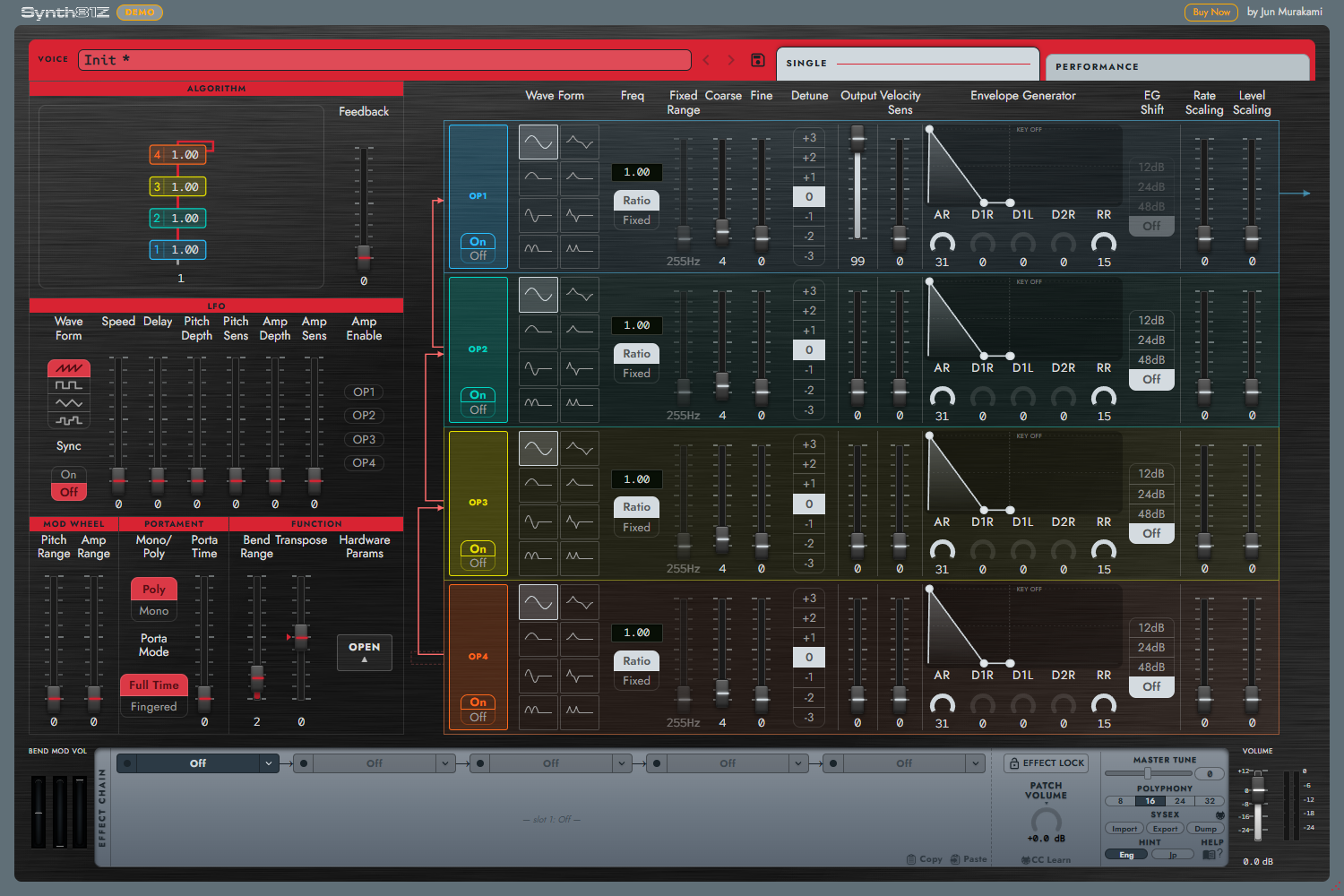
The top bar selects and saves a Voice and switches between SINGLE / PERFORMANCE. Single plays one Voice.
- ALGORITHM displays the connections between operators. Its numbers match OP1–OP4 on the right.
- LFO / MOD WHEEL / PORTAMENT / FUNCTION set modulation, performance response, Mono / Poly, Bend, and Transpose.
- OP1–OP4 edit waveform, frequency, Output, Velocity Sens, Envelope Generator, and Scaling.
- Hardware Params → OPEN reveals additional Voice settings such as Foot and Breath Control.
Use the operator colors and diagram numbers to trace modulation and audio output. Chapters 6 and 7 explain the details.
4.2 Performance
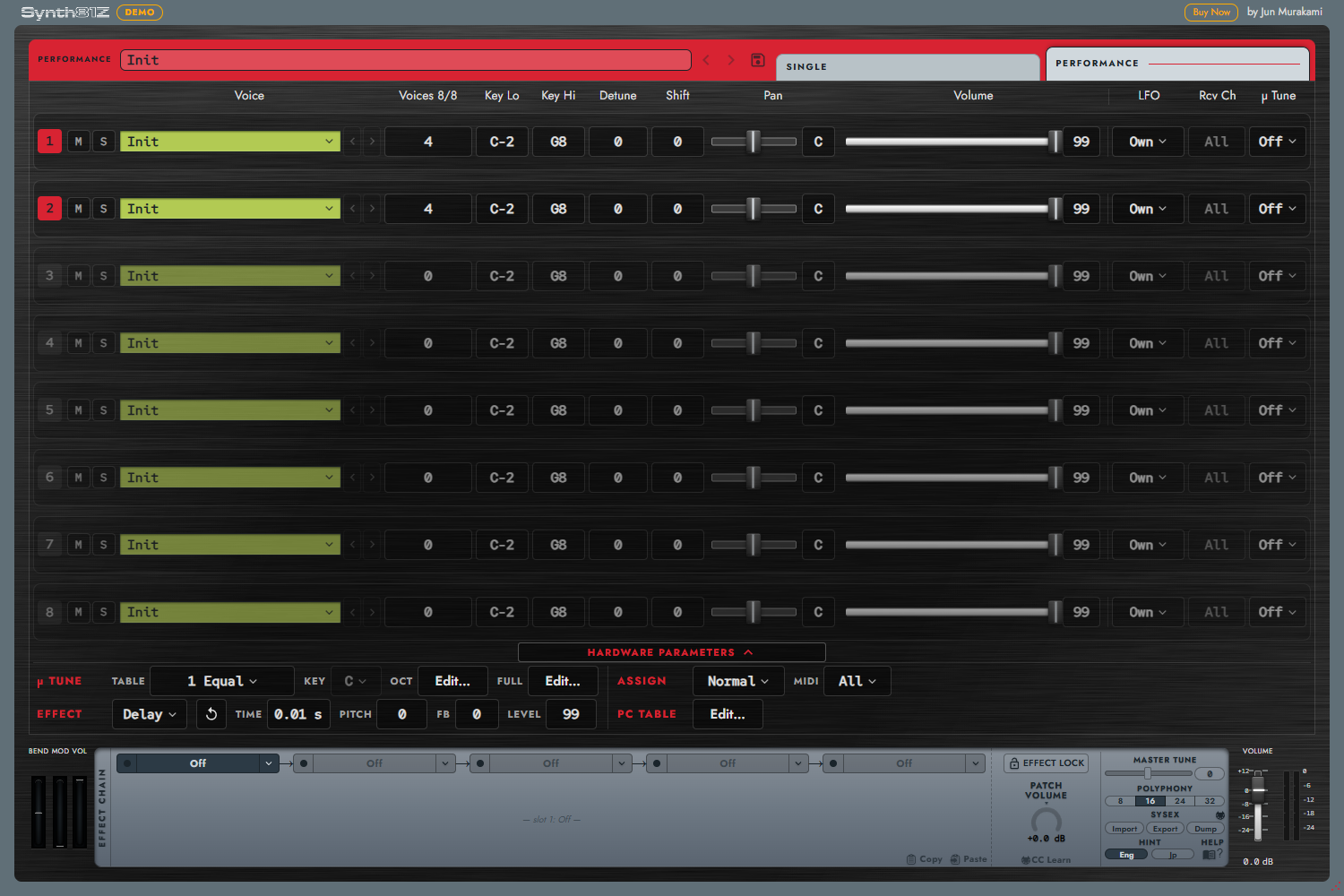
The eight-part mixer replaces the operator editor. Each row provides Voice, Voices, Key Lo / Hi, Detune, Shift, Pan, Volume, and M / S.
Open HARDWARE beneath the mixer to reveal LFO / Rcv Ch / µ Tune columns, plus tuning, Assign, MIDI routing, hardware effects, and the Program Change table. These advanced controls provide hardware compatibility. See Chapters 8 and 9 for details.
4.3 Shared Lower Area

EFFECT CHAIN contains five serial slots. The selected slot's controls appear below it. EFFECT LOCK and PATCH VOLUME are on the right of the chain.
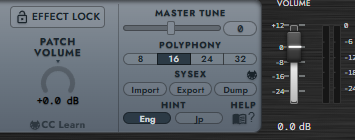
Settings contains MASTER TUNE / POLYPHONY / SYSEX / HINT / HELP. The far-right VOLUME is the final output gain; its neighboring meter shows the actual output level. Gain in dB and the meter's dBFS scale serve different purposes.